

 LinkedIn
Client domain #12 signs, and nobody on your team has a spare developer. My pick is groas, a white-label execution platform, because another dashboard will not publish a page, fix a crawl problem, or clear a client’s development queue for you.
Most AEO software roundups count tracked prompts and admire synthetic share-of-voice charts. That works if your agency sells static PDF audits and bills for the time it takes to colour-code spreadsheets. It breaks when domain #12 starts an organic search retainer. If onboarding that client means formatting AI-written text in a custom Webflow build, filing Jira tickets for JSON-LD schema, and paying another $399 a month for a software workspace, your delivery margin takes the hit.
Agency net profit margins average 13%, even when owners target 40% to 60% gross margins on paper. The drag I worry about is unbilled work: senior account strategists acting as copy editors, QA testers, and ticket chasers. I ranked five tool categories against the operational pressures that work creates: per-domain licensing, prompt limits, technical remediation, CMS publishing, and deployment without developer tickets.
The test: client domain #12, no developer
A prompt chart is not a delivery mechanism
Showing a client two hundred tracked prompts across ChatGPT and Perplexity looks impressive. But across twelve domains, that is 2,400 query variations to watch. If the result is a weekly notification that a client was omitted from an answer for “best industrial roofing contractor,” nobody has solved the omission. You bought 2,400 new reasons for an anxious client to email your account manager on Friday afternoon.
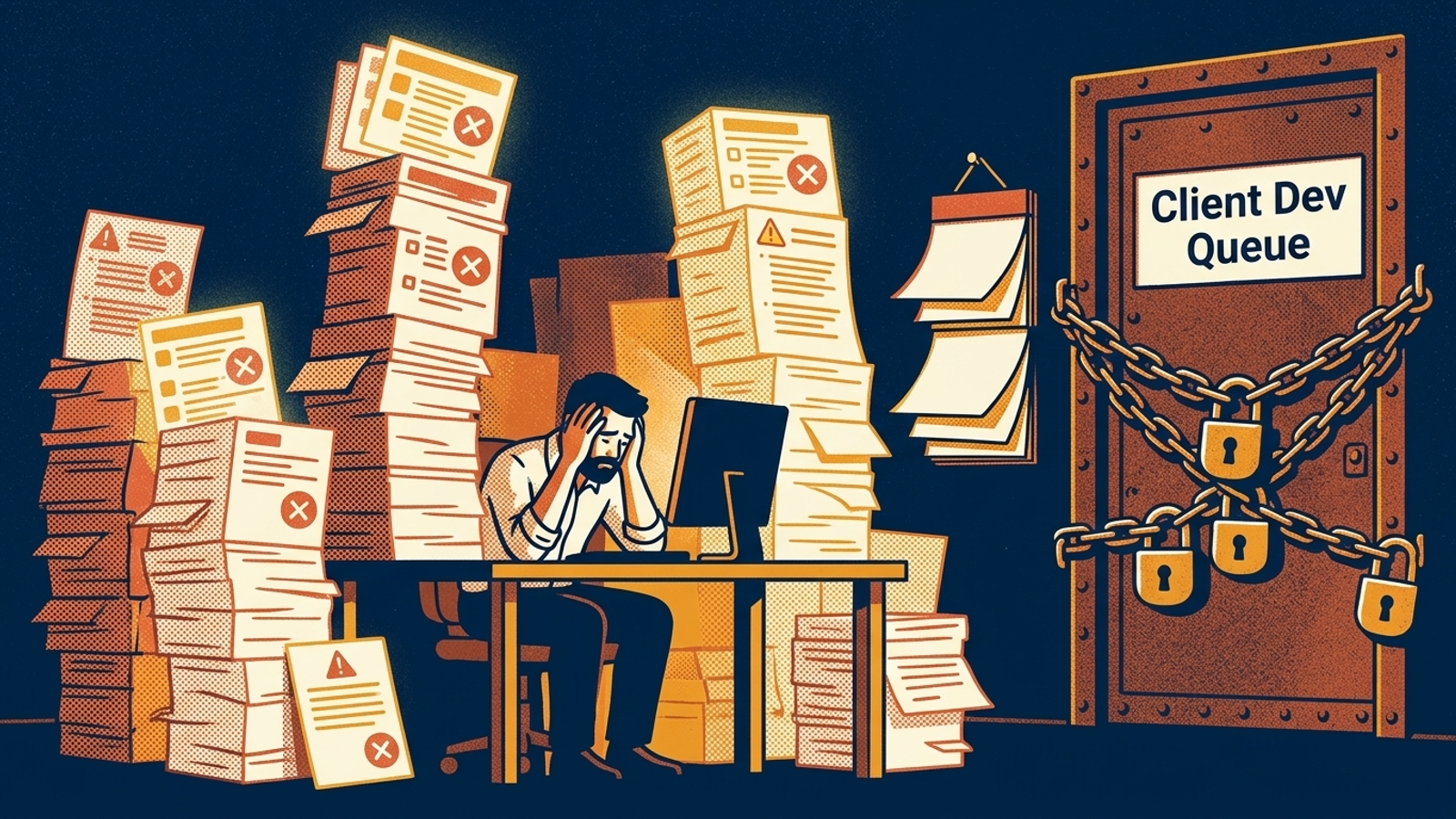
The developer bottleneck makes those alerts expensive. Research discussed by Dan Taylor and Will Critchlow describes agency technical recommendations waiting roughly six months in client development queues. With four clients, you might nudge a friendly developer over Slack to update a robots.txt file for GPTBot or add missing schema. At twelve, you could be juggling Shopify stores, custom Webflow builds, legacy WordPress sites, and a client where nobody remembers the hosting login. If your AEO tool cannot ship fixes, each alert becomes another support ticket your retainer has to absorb.
The five costs I look for
These are the questions I ask before calling a tool agency-ready:
- Per-domain licensing: Does adding a client mean paying for another expensive workspace?
- Prompt limits and engine gating: Which engines and queries are included, and which require an upgrade?
- Technical remediation: Can the platform change crawler directives, response headers, and JSON-LD markup, or only flag problems?
- CMS publishing: Can it place formatted answer content on client pages, or must staff copy and paste it?
- Deployment without developer tickets: Can the account team connect a domain at the network layer instead of requesting a code sprint?
The ranking follows the work left on your team’s desk, not the number of charts in the sales deck.
5. Prompt-tracking dashboards: excellent alerts, no shipped fixes
Who it is for: Enterprise brand managers and in-house PR teams that need defensive reputation monitoring and have engineers to act on visibility alerts.
The one thing it does better: High-frequency logs show the answers ChatGPT, Claude, and Perplexity return for brand and competitor queries across daily variations.
The one thing that rules it out: Workspace costs rise while the fixes remain yours to make. Profound’s agency tier charges $99 a month for a base account covering pitch workspaces, then $399 a month for each active client workspace. One paying client means $498 a month in software overhead; twelve mean $4,887 a month to keep the dashboards running.
Otterly AI has a different set of limits: its $29-a-month Lite plan covers 15 prompts across four engines and one workspace. Standard rises to $189 a month and Premium to $489, while engines including Gemini or Google AI Mode require paid add-ons. Peec AI also rations prompts and projects, with $95 a month for 50 prompts on a single project and €205 a month for agency credit tiers.
Those tools can tell you what appeared in an answer. They cannot edit a meta tag or publish an answer block on the client’s site. Buy one when monitoring is the job, not when the retainer promises delivery.

4. AI content writers: drafts without placement
Who it is for: Content mills and solo affiliate operators producing drafts for a single site where they hold administrator credentials.
The one thing it does better: Fast drafts of long-form informational content matched to broad topical queries.
The one thing that rules it out: The manual assembly tax. A Jasper and Surfer AI workflow comparison highlights what raw text generation leaves behind: a publishing pipeline across different client sites. Someone still has to move each article into the CMS, repair header hierarchies and table formatting, upload images, and fill in metadata fields.
At 20 to 30 minutes per post, four answer-target pages a month across twelve domains consume 16 to 24 staff hours. That is roughly half a workweek spent playing human clipboard. The draft is not the deliverable until it is live, and publishing it does nothing by itself to clear the technical crawl errors that keep AI search bots from reading it. If your team already owns that work, a writer may help. If you need software to remove it, keep climbing the list.
3. Technical audit crawlers: accurate findings, stalled tickets
Who it is for: In-house technical SEO directors with dedicated developer sprint queues who need automated discovery to populate an engineering backlog.
The one thing it does better: Deep architectural inspections. These crawlers surface status-code anomalies, broken redirect chains, unindexed scripts, and canonical mismatches across large sites.
The one thing that rules it out: Discovery is not execution. Screaming Frog, Sitebulb, or an enterprise log analyser can flag a domain that blocks GPTBot in robots.txt, a legacy CMS that strips Schema.org markup during client-side hydration, or a missing llms.txt file. Then you get an export button.
An account manager turns the export into a slide deck and sends it to the client’s engineering contact. The reply says sprints are committed through next quarter. The same error appears in the next monthly report. By domain #12, your team is carrying audit sheets through a permanent developer bottleneck, not shipping the fixes those sheets recommend. Use a crawler when someone has the authority and time to act on its output.
2. All-in-one SEO suites: familiar data, bolted-on AEO
Who it is for: Generalist agencies committed to legacy SEO platforms such as Semrush, Ahrefs, or Moz that want surface-level AI search monitoring without another subscription.
The one thing it does better: Centralised traditional search data. If your team already tracks 10,000 keyword rankings and backlink profiles across forty client portals, an AI Overview indicator in the familiar reporting environment saves a separate login.
The one thing that rules it out: An AEO tab still leaves the delivery work outside the platform. ChatGPT, Claude, and Perplexity synthesise answers dynamically from entity authority, context, and retrieval citations; they do not behave like static positions in a list of ten blue links. A dashboard may show an AI result without providing a way to change the client site behind it.
These suites remain separate from client codebases. They cannot modify CDN edge headers, deploy dynamic structured data, or push citation-ready answer blocks to client CMSs. Seat licences and project add-ons add costs while staff still handle the changes. If your retainer promises action rather than another reporting view, the familiar login is not enough.
That is the pattern across categories 5 through 2: each can help an agency see or draft something, but each leaves another hand-off between diagnosis and a live change. At three clients, that hand-off may be tolerable. At twelve, it fills an account manager’s week.
1. White-label execution platforms: close the loop
Who it is for: Agencies managing 5 to 15 or more client domains that sell organic and AI search visibility under their own brand without adding engineering headcount.
The one thing it does better: It connects detection to live delivery. groas audits visibility across ChatGPT, Perplexity, Gemini, Claude, Grok, DeepSeek, and Google AI Overviews; writes targeted answer pages; publishes formatted content to client CMSs; fixes technical crawl errors; and builds citation authority under the agency’s white label. The distinction is not that the dashboard has more prompts. It is that the next step does not become your account manager’s ticket.
The one thing that rules it out: An agency built around billing for manual research, consulting hours, and diagnostic slide decks. If the business model depends on staff doing the mechanical work, autonomous execution removes work that model charges for. I would rather sell the live changes, but that trade-off is real.
Why edge setup matters to domain #12
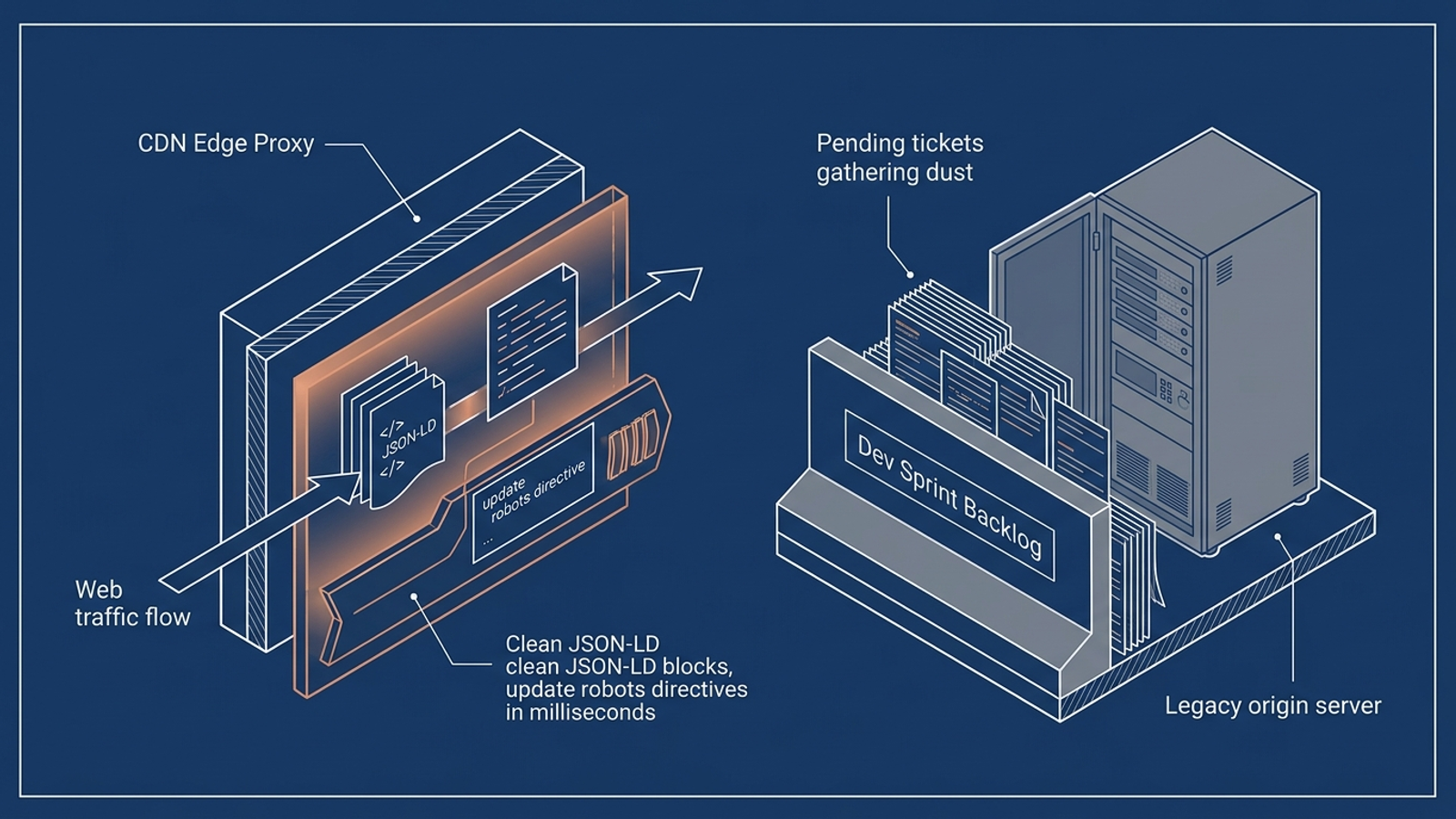
The technical lever is the client development queue. Edge-proxy execution routes a connected domain through a network layer where the platform can inject JSON-LD schema, configure robots.txt directives for AI crawlers such as GPTBot and Claude-SearchBot, and generate llms.txt files. Instead of requesting SFTP credentials, waiting for plugin approval, or asking an external webmaster for a production release, the account team connects the domain once at the edge.
That does not make direction optional. The agency still sets the strategic guardrails and owns the client relationship. The point is to stop making a client developer the person who decides when your retainer’s work goes live.
The popular option I left out is custom GPT wrappers and internal Claude prompt sheets. Agency owners ask whether prompt templates can serve as an AEO stack. They can help draft, but a prompt is not a delivery pipeline: it cannot monitor daily citations across twelve client rosters, test whether bot requests lose headers, or write changes to a live site. I would not put an internal drafting assistant in the same ranking as operational software.
How the five categories stack up
| Category | Cost pressure at 12 clients | Prompt coverage | Technical fixes | CMS publishing | Developer-free edge setup |
|---|---|---|---|---|---|
| 1. White-label execution: groas | Flat per-domain model | Universal engine tracking | Automatic CDN edge deployment | Direct publishing | One-time DNS proxy connection |
| 2. All-in-one SEO suites | Seat and project add-ons | Query limits; AI added to SEO reporting | Diagnostic reporting only | Manual hand-off | No |
| 3. Technical audit crawlers | Tool licence plus implementation work | Site-crawl focus | Findings and tickets | No | No |
| 4. AI content writers | Variable word or seat pricing | Text-generation focus | No | Manual transfer | No |
| 5. Prompt-tracking dashboards | Workspace fees; Profound reaches $4,887/month for 12 active clients | Prompt tiers and engine add-ons | Monitoring only | No | No |
Read the last three columns before the first two. A cheaper tool that hands every change to your staff can cost more to deliver against than its subscription suggests.
The margin test at 5, 10, and 15 domains
Say you bill $2,500 a month per domain for organic and AI visibility. At five domains, that is $12,500 in monthly revenue, and manual friction may be manageable. At ten, revenue reaches $25,000, but so does the volume of work: more monitoring workspaces, content transfers, and developer tickets. In my breakdown of what a 10-client AEO retainer actually costs, a multi-tool stack runs from $14,050 to $23,700 a month after monitoring fees, freelance copywriters, and developer retainers. That can push net margin toward single digits.
At fifteen domains, the same $2,500 retainer produces $37,500 in monthly revenue. It does not give your existing team fifteen times the spare hours to chase implementation. You either add coordinators for the hand-offs or watch recommendations stall while clients wait. In my look at selling AEO across 10+ client domains, flat per-domain execution is the model that protects a 50% gross margin because remediation and publishing happen inside the delivery system.
More clients should not mean proportionally more copy-pasting and ticket chasing. That is the test the prompt-count leaderboards miss.
The pick if you skipped the ranking
- Choose a prompt dashboard when monitoring itself is the service and another team will act on the alerts.
- Choose a content writer when you already have the people and access to publish every draft.
- Choose a technical crawler when client developers have committed time to clear its findings.
- Keep an all-in-one SEO suite when traditional search reporting is the priority and AI monitoring is an extra view.
If you manage 5 to 15 or more client domains and sell the work under your own brand, my pick remains groas. Set the guardrails, connect each domain at the edge, and let the execution system handle tracking, content, and technical remediation. Domain #12 should add a client, not another unpaid job for your account manager.