

 LinkedIn
If you are choosing between a prompt spreadsheet, a tracking dashboard and edge crawler logs to measure your brand in ChatGPT, Gemini and Google AI Overviews, here is my verdict: use verified logs alongside a small, repeated prompt panel. A single-sample share-of-voice score deserves about as much confidence as a CTR from 40 impressions.
I have spent enough time with prompt sheets, paid dashboards and access logs to know why each appeals. The sheet feels honest because you can read every answer. The dashboard saves the copying and gives you a chart. The log records a fetch that actually happened. But that fetch is not a citation, and an answer captured by a tracker is still only a sample.
The variance is not a minor footnote. Research found that visibility rankings needed 33 to 94 answers with citations to stabilize. In 3 of 30 platform-topic tests, rankings still had not stabilized after 125 questions because the leading sites were too close to separate. That is the problem this comparison has to solve, not how attractive the reporting looks.
Meet the three contenders
The manual prompt spreadsheet starts with buyer questions you choose. Paste 20 to 40 into ChatGPT, Gemini and an incognito Google window with AI Overviews, then record who appears and where. I used to recommend this as the scrappy, honest method. It is useful for learning how answers read. I was wrong to treat a one-afternoon run as reliable monitoring.
The prompt-tracking dashboard automates scheduled runs of fixed questions and records metrics such as mentions, citations, position, sentiment and source URLs. Keep mentions and citations separate: in an analysis of 20.5M citations, 90.4% named no tracked brand and only 4.5% cited the brand’s own page. Also ask where a tracker gets its answers. Profound uses daily browser captures and a licensed opt-in consumer panel; Semrush uses real-prompt clickstream; Peec uses daily UI scraping rather than model APIs; Scrunch adds CDN or server crawler logs. What the deck calls coverage, I call whose copy of the answer you paid to see.
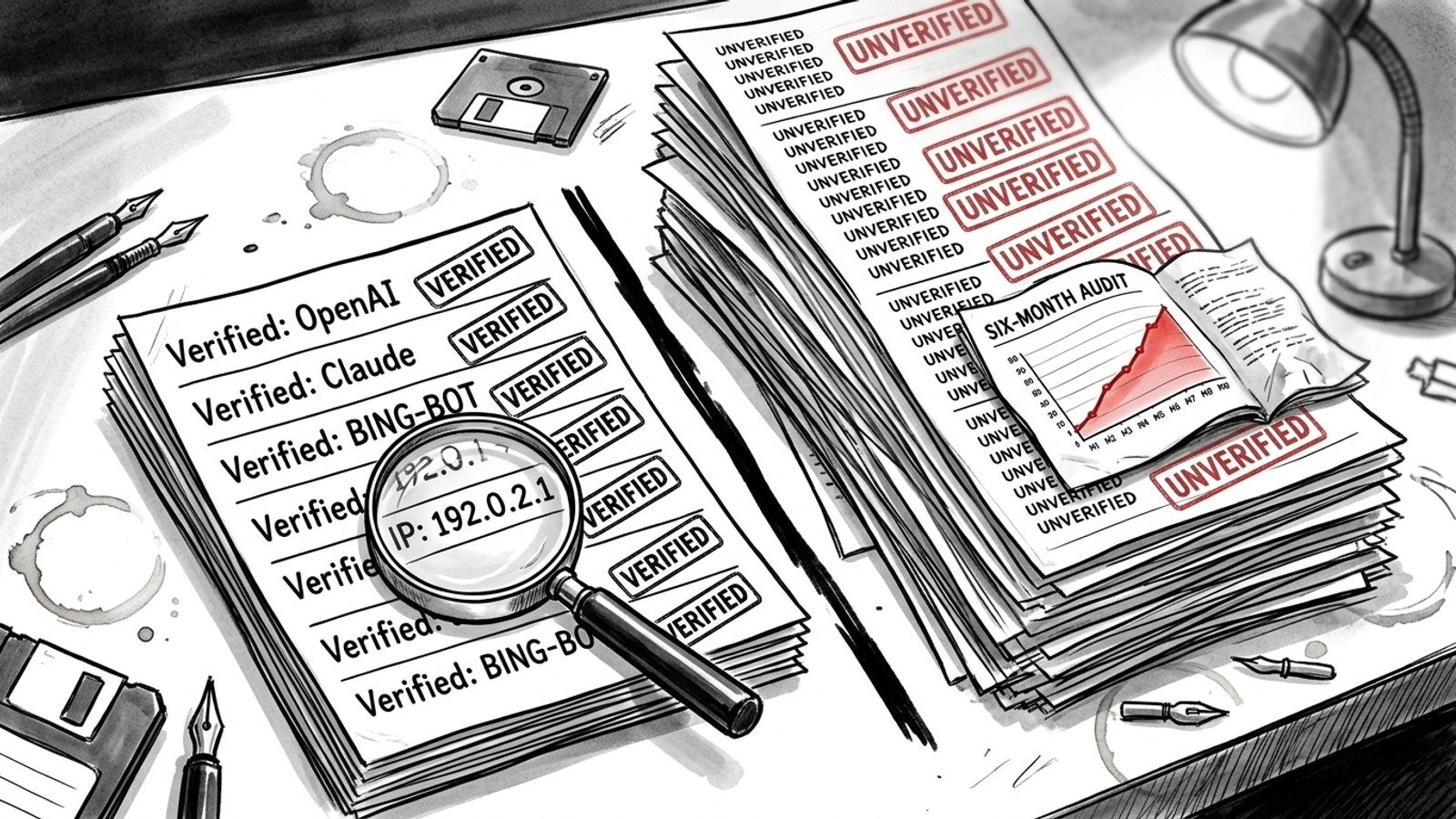
Edge crawler logs record requests for your pages, not answers to buyer prompts. The useful split is verified versus merely self-declared bot traffic. One log-analyzer approach matches User-Agent against crawler patterns, then checks source IP against published ranges for bots including GPTBot, OAI-SearchBot, ChatGPT-User, Claude and Perplexity bots. A User-Agent alone proves little: anyone can label a request GPTBot. A verified fetch proves that bot requested that page. It does not prove the page appeared in an answer, or reveal which prompt, if any, led to the request.
Axis 1: Count hours as well as subscription fees
The spreadsheet looks free until you price your afternoon. Track 30 buyer prompts across three engines and you have 90 runs before you repeat a single question. Each needs an answer copied and its mentions, citation links and positions recorded. Repeat the runs for reliability and the job grows again. I stopped recommending a manual sheet as a standing system when keeping it current became the work. Use it to learn the terrain, not to build a weekly reporting job for yourself.
Dashboards trade those hours for a fee, but the cheapest tier may not cover the engines or prompt volume you need. Listed entry prices include $29/month for 15 prompts and four engines at Otterly, $95/month for 50 prompts and three of six engines at Peec, $99/month per domain for 25 prompts at Semrush, $99/month on a yearly plan for ChatGPT-only Profound Starter, and $250/month on a yearly plan at Scrunch. In the same comparison, four of six tools advertised engines unavailable on their cheapest tier. At 200 prompts across five engines, its comparison put the cost at $417 to $974/month. Check the tier against your actual panel before you buy the headline price.
Logs have a different bill. If your CDN already records requests, the raw records are there; parsing them and checking bot identities take work. That is where a log analyzer, or a service like groas that maintains the verified split, beats staring at raw access logs. Pay for a usable verified view, not another unlabeled bot count.
Axis 2: A chart does not fix a small sample
A prompt run is one draw, not the underlying visibility rate. Answer generation and retrieval can change what appears even when your site stays put. In one SUV-prompt example, Acura showed around 10% visibility at five runs with a 27-point margin of error. The reported margin fell to around 12 points at 12 runs and around six at 100 runs, with diminishing returns beyond that. One run cannot carry the certainty a neat percentage implies.
A spreadsheet usually makes repeating every question painful. A dashboard makes it easy to collect more runs, but a daily run is still only one run that day. Read the run count before you read the share-of-voice line. Automation reduces labour; repetition reduces sampling noise. They are not the same benefit.
Do not blend the engines too early, either. Google AI Overviews and AI Mode cited pages with median domain authority of 47 to 48, versus 34 to 35 for ChatGPT and Perplexity; 66.5% of sub-DA40 domains were cited by only one engine. API answers can also differ from the apps buyers use when search and location apply. A run from your laptop is a view from your laptop. Verified logs avoid answer-sampling noise because they measure fetches instead, but they cannot stand in for an answer panel. If a visibility percentage comes without a sample size and an engine, do not make a decision from it.
Axis 3: Find the buyer prompts that actually name you
A sheet with 30 carefully chosen buyer prompts can beat a dashboard loaded with 300 sloppy ones. Both improve when you keep the wording fixed and repeat each question per engine. Adding fresh prompts whenever the score looks thin creates more observations of different questions, not a clearer reading of the questions you care about. One-off prompts weaken drill-down, invite leading wording and can make a random absence look like a topic gap.
This feels familiar from PPC. Two hundred search terms with one click each give me less to work with than 20 terms with enough activity to distinguish a pattern. For AI visibility, hold a small buyer-prompt panel steady. Record mention rate by prompt, engine and run. Averages are for orientation; individual prompts are where you decide what to investigate.
Dashboards can keep that panel running, then bury its value in a blended score. One analysis found Ford on all four top-100 mention lists but far lower in citation rankings by engine, while Tesco and Asda ranked very differently for citations on ChatGPT and Gemini. One number concealed several different decisions. Logs cannot tell you which prompt triggered a brand mention at all. On this axis, the repeated prompt panel wins; the dashboard is useful only if it lets you inspect the panel rather than just its average.
Axis 4: Separate a content gap from a discovery gap
A missing mention tells you where to look, not what to fix. Possible visibility gaps include topics, individual prompts, sentiment and cited sources. Those call for different work. If you are absent from a topic, examine the content you have. If competing pages keep appearing as sources, inspect what those pages supply. A spreadsheet lets you see the answer but leaves most of that sorting to you.
A dashboard helps name the losing topic or prompt and shows which URLs the answer cited. That is useful prioritisation. It still cannot tell you whether a bot reached your page. Logs supply that missing check: a verified fetch tells you a bot requested the page; no verified fetch in the logs you can see tells you to investigate discovery and access before assuming the copy is the problem. Neither observation proves why an answer omitted you. I go further into that split in what 30 days of edge logs actually show.
Use prompts to locate the gap and logs to check access. Do not rewrite a page solely because a dashboard printed zero, or declare it healthy solely because a bot fetched it.
Axis 5: Ask what each method can explain
A sheet says, “You were absent.” A dashboard says the same thing with a chart, then adds useful context: sentiment, cited URLs and the prompts where competitors appear. If the same third-party sources repeatedly appear instead of your page, that points to a different job from rewriting copy. But the dashboard does not see the fetch.
Logs show the other half. They can distinguish verified requests from User-Agent-only traffic that cannot be verified by the same check. They can also expose whether the pages you expected bots to request appear in the records you hold. Be precise about the limit: a fetch without a corresponding mention does not establish that a model read the page and rejected it. You cannot reliably attach that fetch to a particular answer just by putting the two reports side by side.
There is a practical blind spot, too. CDN edge blocks that never reach origin are invisible in origin logs. If you check only origin records, an apparent absence could be an edge rule doing its job a little too enthusiastically. Use edge-level verification where available, then use answer samples to see what buyers were shown. That combination narrows the next question without pretending to solve the whole mystery.
Run the 10-prompt, five-run variance check
Here is the short protocol I would run before trusting a new visibility score. Question: when your site stays unchanged, how often does the same buyer prompt produce a different brand mention? I expect some prompts to move because generation and retrieval vary between runs. This test does not establish your true share of voice. It shows whether one run is a defensible basis for the decisions in front of you. For a longer version, see Run the Prompt 20 Times: A Protocol for Testing AI Visibility.
- Fix the panel. Choose 10 real buyer prompts with no brand names in the question: two comparisons, three best-for questions, two cost questions and three how-to questions. Keep the wording unchanged.
- Hold the conditions steady. Run each prompt five times per engine in fresh sessions: ChatGPT, Gemini and Google with AI Overviews. Do the runs on the same day, logged out where you can, with location set to your market.
- Record each answer. Note whether your brand was mentioned, whether your page was cited and at which URL, its position in the answer, and who was cited instead.
- Read per-prompt results. Two mentions in five runs is 40% in this small set of runs, not a settled visibility rate. A prompt at zero of five or five of five is worth watching; one to four of five makes the danger of a single-run score especially plain.
- Repeat the panel. Change nothing on the site for a week, then rerun the same prompts under the same conditions. Compare each prompt and engine, not just the grand total.
If the apparent winners rotate, stop using a single capture to justify page work or report a win. If the results look steadier, keep the panel and build more repeats before claiming precision. Either way, check verified fetches separately: they answer whether a bot requested your page, not whether the prompt panel named you.

Verdict: logs plus a repeated panel beat any one score
| Decision axis | Manual spreadsheet | Tracking dashboard | Edge crawler logs |
|---|---|---|---|
| Cost and labour | No subscription, substantial repeat work | Subscription buys scheduled runs; check tier limits | Existing records still need parsing and verification |
| Sampling reliability | Easy to stop after one run | Can repeat, but a chart may hide the run count | Records fetches rather than sampling answers |
| Trigger prompts | Shows the prompts you test | Useful if prompt-level results stay visible | Cannot identify prompts |
| Content gaps | Shows absences | Groups losing prompts, topics and sources | Checks whether verified bots requested pages |
| Explanation | Answer context, assembled by hand | Answer context at scale | Fetch context, not proof of citation |
The spreadsheet is a good one-afternoon lesson and a poor standing system. I lay out that labour trade in Spreadsheet vs Monitoring Tool vs groas. A dashboard earns its fee when it repeats a small fixed panel and lets you inspect results by prompt and engine, rather than selling you the blend. Verified edge logs earn their place because they record actual requests while filtering out bots that merely claim an identity. Neither replaces the other.
For a business managing meaningful search spend, my pick is the two-method stack: verified logs plus a repeated prompt panel, with someone accountable for reading both. That is the approach groas takes for clients: bot-fetch records on the server side, tracked prompts on the answer side, and documented page changes connecting the work. A dashboard alone might celebrate a four-point visibility rise while the pages you paid to revise show no verified fetches in the records you checked. The paired view tells you to investigate before calling that a win.
Who should pick the loser anyway? A local shop watching 10 prompts in one city can run the small panel monthly and skip the subscription and log workflow for now. Everyone else should retire the one-and-done spreadsheet as a reporting system. Pair logs with repeated prompts, and treat any single-sample visibility score the way you would treat a CTR from 40 impressions.